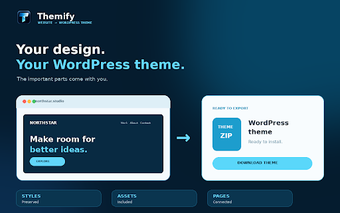
Convert Live Sites into Installable WordPress Themes with Chrome
Themify.io convert website in wordpress theme, from Themify.io, is a Chrome extension that converts live websites into WordPress themes. It snapshots rendered pages and bundles the captured HTML, CSS, images, fonts, and animations into a standards-compliant .zip theme ready for upload to WordPress without manual rebuilding. Local browser processing, full-site crawling, customizable metadata, and a visual progress indicator are provided to preserve site design and structure. Developers and site owners moving from closed builders benefit from a quick export path into WordPress themes.
What is the extension used for?
The extension automates migration of an existing site into a WordPress-ready package, targeting situations where rebuilding by hand is costly. It captures the rendered DOM and assets, then prepares a standards-compliant .zip theme that can be uploaded through WordPress's theme installer. Captured items include:
- HTML and CSS
- Images and web fonts
- Animations and media queries
How does it protect site data during conversion?
The tool processes pages entirely in the browser, so page data does not leave the local machine during capture. That local processing model reduces external data transfer because the extension performs asset extraction and packaging inside Chrome. The extension requires a modern Chrome build to support local asset handling, which the developer lists as a platform requirement for Windows, macOS, and Linux.
How reliable is preservation of animations and multi-page sites?
The extension is designed to preserve complex CSS layouts and animations by snapshotting the rendered page rather than scraping templates. It also supports full-site crawling, automatically following internal links to collect multiple pages for multi-page themes. A visual progress indicator reports crawling status, and the resulting theme attempts to keep media queries and dynamic styling intact for consistent display across devices.
What practical limits and activation requirements should users expect?
The extension runs in Chrome and performs processing locally, so conversion scope depends on the browser's available resources and the complexity of the source site. A valid license key is required to enable full export and download capabilities, which affects whether a generated theme can be retrieved. Users should test generated themes in a staging environment and be prepared for manual adjustments inside WordPress after import.
A practical tool for quick migrations with a clear trade-off
The extension is a practical option for developers and site owners who want a fast pathway from proprietary site builders to WordPress themes, saving the manual rebuild step. The trade-off is that full export capability requires activation and generated themes may need refinement inside WordPress. Test outputs on a staging install before going live to verify layout fidelity and plugin compatibility.